Telnet 83+
This terminal emulator program was originally developed by Justin Karneges for the TI-83 and ported to the TI-83 Plus by Dan Englender. I have made a number of bug fixes and improvements and include it (with permission) as part of the TIWiFiModem project.
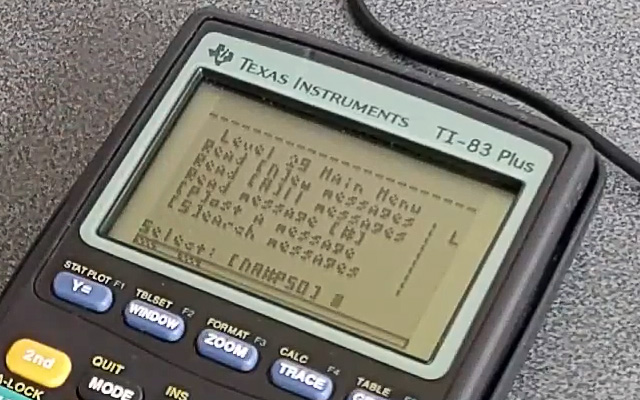
Fixes and new features
- Slowed down writing to the screen to prevent corrupt/scrambled display on newer calculator hardware with slower LCD drivers.
- Fixed BEJOTY keys producing lowercase letters when in capital mode.
- Fixed ctrl keys producing incorrect values and added ^@, ^\, ^^ and ^_.
- Fixed uppercase X producing Z and numeric \ producing /.
- Added overflow check to the receive buffer, large transfers are no longer truncated.
- Clearing the screen now moves the cursor back to the top row.
- Terminal and receive buffers are dynamically allocated, greatly reducing the size of the program.
- Previous session state is stored in an external appvar named TELNET.
- Pressing [WINDOW] enables an auto-scroll mode which will keep the cursor in view until the screen is scrolled manually with the arrow keys.
The minimap can be set to only appear when the view is scrolled manually (shaded status icon) or also when the screen scrolls automatically (filled status icon). - Local echo can be toggled with [ON]+[GRAPH] or enabled/disabled with VT102 escape sequences.
- Character attributes are combined (e.g. setting inverse text then setting underlined text no longer clears the previous inverted text).
- More robust handling of arguments in escape sequences including default options or numbers with multiple digits.
- Beep (BEL) now properly flashes the screen.
- Reset back to initial state with [ON]+[CLEAR] or with VT100 ^[c.
- Linefeed/new line mode can be toggled with [ON]+[ENTER] or VT100 commands.
- Implemented more VT100 sequences, including:
- IND (scroll up, ^[D) and RI (scroll down, ^[M).
- NEL (new line, ^[E).
- EL (^[[1K erases from start of line to cursor, ^[[2K erases whole line).
- ED (^[[J or ^[[0J erases from start of screen to cursor, ^[[1J erases from cursor to end of screen).
- DA (device attributes, ^[[c or ^[[0c) and DECID (identify terminal, ^[Z report VT100).
- DSR (device status report, ^[[5n).
- CPR (cursor position report, ^[[6n).
- DECSC (save cursor, ^[7) and DECRC (restore cursor, ^[8).
- HTS (horizontal tabulation set, ^[H).
- TBC (tabulation clear, ^[[g or ^[[0g for single tab stop, ^[[3g for all).
Download from GitHub


Site Contents © Ben Ryves 2003–2026