Troubleshooting tunnels
The simplicity of the programming involved means that the 3D tunnel effect can run on pretty much anything.
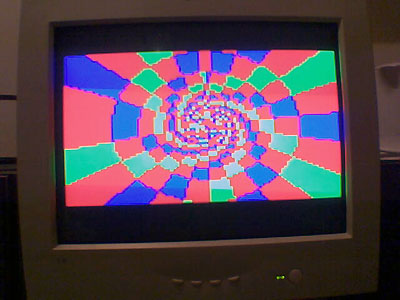
(The above image is a simple tunnel running on a Sony PS2, using YABASIC). However, the nature of the way you use them means that you can easily get confused, especially when you start using fixed-point maths. The speed comes from using precomputed lookup tables, and splitting the system in two (first, the maths in one section, and second, the rendering in another section) means that you have twice as many things to go wrong! Here are some hints, based on problems I've encountered (and ones I can see arising) when making tunnels:
- Make sure that you haven't done something silly when casting the floating-point numers to the integers in the generation of look-up tables. Try and keep the numbers in floats or doubles until the last moment!
- If using fixed point maths, make sure you multiply and divide by the same amount! If using shift operators (>>) to divide the number, make sure you are shifting it the right way and the right amount - >>8 is a divide by 256, not a divide by 8!
- Make sure you throttle the speed at which you move around/down the tunnel - if the walls are flickering like mad, maybe you are going down too fast!
- Ensure that you keep your texture coordinates between zero and the size of the texture. The % operator is fine for positive values, but can act oddly for negative values.
- Try and use power-of-two sizes where possible for simplicity and for speed of integer maths.