Articles tagged “Emerson”
2MHz should be enough for anyone
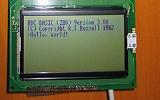
LCD TimingLast time I discussed the hardware I mentioned I had LCD timing issues. I have finally resolved them, but this has been the most time consuming part of the project so far. The first thing to sort out was the LCD's E pin. Once you have set up the LCD's input pins to a state where they're ready to read or write data, you need to drive this pin high. I had had some success by holding it high permanently and relying on the Z80 to set all the other to the right state at roughly the same moment, but this was inaccurate and resulted in occasional display glitching.
Comments Electronics Emerson LCD PG12864LRS Z80 Z80 computer
Internal PS/2 Port
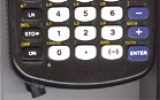
What's that in the bottom left hand corner? Kerm Martian has added a PS/2 port to his calculator (click the picture for better pictures and the original thread). He has been developing a shell, entitled DoorsCS (click for website) which sports an impressive set of GUI controls - hence the mouse!
Emerson Beta 2
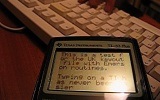
Sorry about the lack of updates, but I have been incredibly busy with work related programming. One small project I've had a chance to update is Emerson - my keyboard and mouse library for the TI-83 series calculator. I know, I can't type layout. Download the library (and demo) here.
TI-83 Plus Mouse

I had another go with my AT protocol routines to see if I could persuade a PS/2 mouse to do anything. It would appear that I could... Click to view a video clip (1MB WMV) There are two cables for the mouse as there were for the keyboard - one goes to the TI, the other goes to the power supply. The mouse is put into the lowest resolution mode (the cursor is moved 1 pixel per mm). There's a demo for anyone with a TI-83 Plus and an adapter. It also contains a keyboard demo - and there's a video of that demo here (1MB WMV).
Localisation
Typing
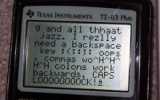
One reason you'd want to connect a keyboard to your TI - or indeed any device - would be to type on it. After all, it offers a nice comfortable layout to type quickly on... One easy way to deal with the keyboard as a typing device would be to write a function that converts the scancode into an ASCII code (or a special code in the 128→255 range for keys without sensible ASCII equivalents, such as the Windows or cursor keys). But here's the problem - not all keyboards have the same characters printed on the keys.
Getting it to work
Reliability
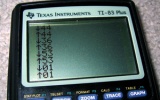
I'm sure you wouldn't want to use a keyboard that was inaccurate. Unfortunately, (as you might have seen me moaning in the past) the keyboard generates the clock signal. This basically means you need to be constantly checking the clock line to see if it goes low - that or use a hardware interrupt the jumps in and receives the scancode packet when the keyboard decides you want to stop sending something. Well, I don't have the luxury of an extra keyboard chip or a hardware interrupt, so I needed to don my thinking cap.
TI Keyboard
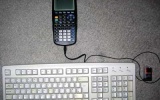
Once again, I waste my time doing something remarkably useless - it's trying to connect a keyboard to my TI graphing calculator! Idea
Alas, this is not an original idea - I had seen some work done on this in the past, and tried fiddling with the code myself, not really understanding much of it. I decided to have a go - from scratch, and on my own. Constructing the hardware
I decided to butcher an old, suitably discoloured keyboard (in a nice way, though, so if all went wrong I could reassemble it).