Articles tagged “Spinning cube”
Text and filled shapes for the dsPIC33 VDC
The dsPIC33 video display controller project I am working on needs to support several common text output and drawing operations offered by existing BBC BASIC implementations. The previous demo included basic point, line and circle outlining functions, but I also need to output text and outline (or fill) rectangles, circles, ellipses and triangles. On top of that the drawing operations need to support multiple colours and plotting modes. Owing to processing power and memory limitations the output is black and white only but different "shades" can be implemented with dither patterns.
Comments dsPIC33 VDC dsPIC33FJ128GP802 Electronics PAL PIC Spinning cube TV
dsPIC33 VDC with GLCD or PAL TV output
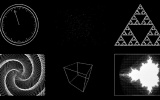
I have currently been using some terminal emulation software on my PC to see the output of the Z80 computer. It seems a little silly to rely on a large multi-gigahertz, multi-megabyte machine just to display the output from a machine at the megahertz and kilobyte end of the scale. I had previously done some work with a dsPIC33 to drive a 320×240 pixel graphical LCD so dug out its breadboard and dusted off the code to try to make something of it. Inspired by John Burton's recent experiments with PAL TV output I decided that the first thing I should do is add support for TV output.
Comments dsPIC33 VDC dsPIC33FJ128GP802 Electronics LCD PAL PG320240H-P9 PIC Spinning cube TV
Controlling a PG320240H-P9 with a dsPIC33FJ128GP802
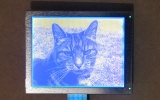
In a previous entry I mentioned that I had purchased a PG320240H-P9 graphical LCD. This is a 320×240 white-on-blue pixel display, and it does not have an on-board controller or RAM. To display something on it you need to constantly refresh it with picture data; in this instance, sending four pixels at a time, starting from the top left and working from left to right, top to bottom — a bit like the scanning pattern of a CRT monitor. Connecting a circuit to the LCD is made slightly more tricky by its use of a 16-pin 1mm flexible flat cable.
Comments dsPIC33 VDC dsPIC33FJ128GP802 Electronics LCD PG320240H-P9 PIC Spinning cube
Z80 computer - Lines, cubes and inverted text
I've made a few additions to the operating system for the computer. The Console module, which handles text input and output, now supports "coloured" text - that is you can set the text foreground and background colours to either black or white. This functionality is exposed via the BBC BASIC COLOUR statement. If you pass a value between 0 and 127 this sets the foreground colour (0..63 is white, 64..127 is black) and if you pass a value between 128 and 255 this sets the background colour (128..191 is white, 192..255 is black).
Text viewports and sprites
Back to work on the TI-83 Plus port of BBC BASIC! To complement the graphics viewport I've added support for text viewports — this lets you define the area the text console uses. The following VDU commands are now supported:
VDU 24,<left>;<top>;<right>;<bottom>; Define a graphics viewport. VDU 28,<left>,<top>,<right>,<bottom> Define a text viewport. VDU 26 Reset both viewports to their default settings (full screen). VDU 29,<x>;<y>; Defines the graphics origin. The above screenshots defines the graphics viewport to fill the left hand side of the screen and shunts the text viewport over to the right half, using the following code:
VDU 24,0;0;47;63; VDU 28,12,0,23,9 VDU 29,24;32; I've also added simple sprite drawing to BBC BASIC's PLOT command.
Clipped graphics and ellipses

qarnos — author of the superb Aether 3D engine — has been lending a hand with the BBC BASIC graphics API and contributed a large amount of very useful code. First up is some code to clip 16-bit line coordinates down to 8-bit coordinates. This allows for lines to be partially (or completely) off the screen. He's also written a fast ellipse drawing and filling routine. The ellipses are also clipped to the viewport and are filled with an 8×8 pixel pattern. The graphics viewport can be redefined using the VDU 24,left;top;right;bottom; command as demonstrated in the above example.
Gyrating cubes in BBC BASIC
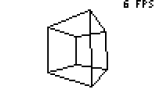
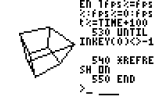
Work has been keeping me busy recently, but I've tried to set aside a small amount of time each evening to reclaim some sanity and do a little work on BBC BASIC. Not much progress has been made, but there has been some at least. On the left is the program running on an 83+ SE at 15MHz, on the right on the regular 83+ at 6MHz. If you really wanted to do 3D in BBC BASIC you could probably get away with writing some of the more expensive operations — such as transforming/projecting vertices in batches — in assembly, but that would sort of go against the whole point of trying to write a program to test the speed of BASIC.
ASCII Madness II and Tutorials

Well, it's been a long time - here are two updates in one! First up, ASCII Madness II. It's a text-mode scene demo that runs in the Windows console using characters from the extended ASCII set to produce the effects. You can download it (and the source) from here. Next up are some simple tutorials. Oldschool graphics stuff, I'm afraid, but hopefully someone will find them of interest. They are presented in the form that I would have liked to have read... and I know that I'm not very conventional in my learning style.