Various calculator-related updates: BBC BASIC, Vinegar, Telnet 83, Brass and Latenite
Sunday, 14th June 2026
My original TI-83 Plus feels like it's on its last legs. I suspect there's some issue with the flash memory, and I've already had to wipe its certificate page using the BootExec utility that exploits a buffer overflow in the link routines to get an operating system back on it. Even though it's working for now, I'm somewhat wary of installing flash applications on it.
Recently, however, someone contacted me to let me know that there was a bug in the TI-83 Plus version of Richard Russell's BBC BASIC that I'd put together a few years ago. It turns out that on more recently-manufactured TI-84 Plus calculators uses a new LCD driver which modifies the data pointer when reading back the status register. The BBC BASIC host interface I'd put together polls the busy flag in this status register, and so the display was corrupting on these new calculators as writes to the LCD memory were not going to the correct address.
It was a reasonably easy fix (replacing my own LCD busy test with a call to the one provided by the calculator's operating system), but not one I could test myself as I don't own a TI-84 Plus. I also wanted to check that there weren't any regressions with the fix, but I didn't want to risk damaging my TI-83 Plus further by reinstalling the flash application on it.
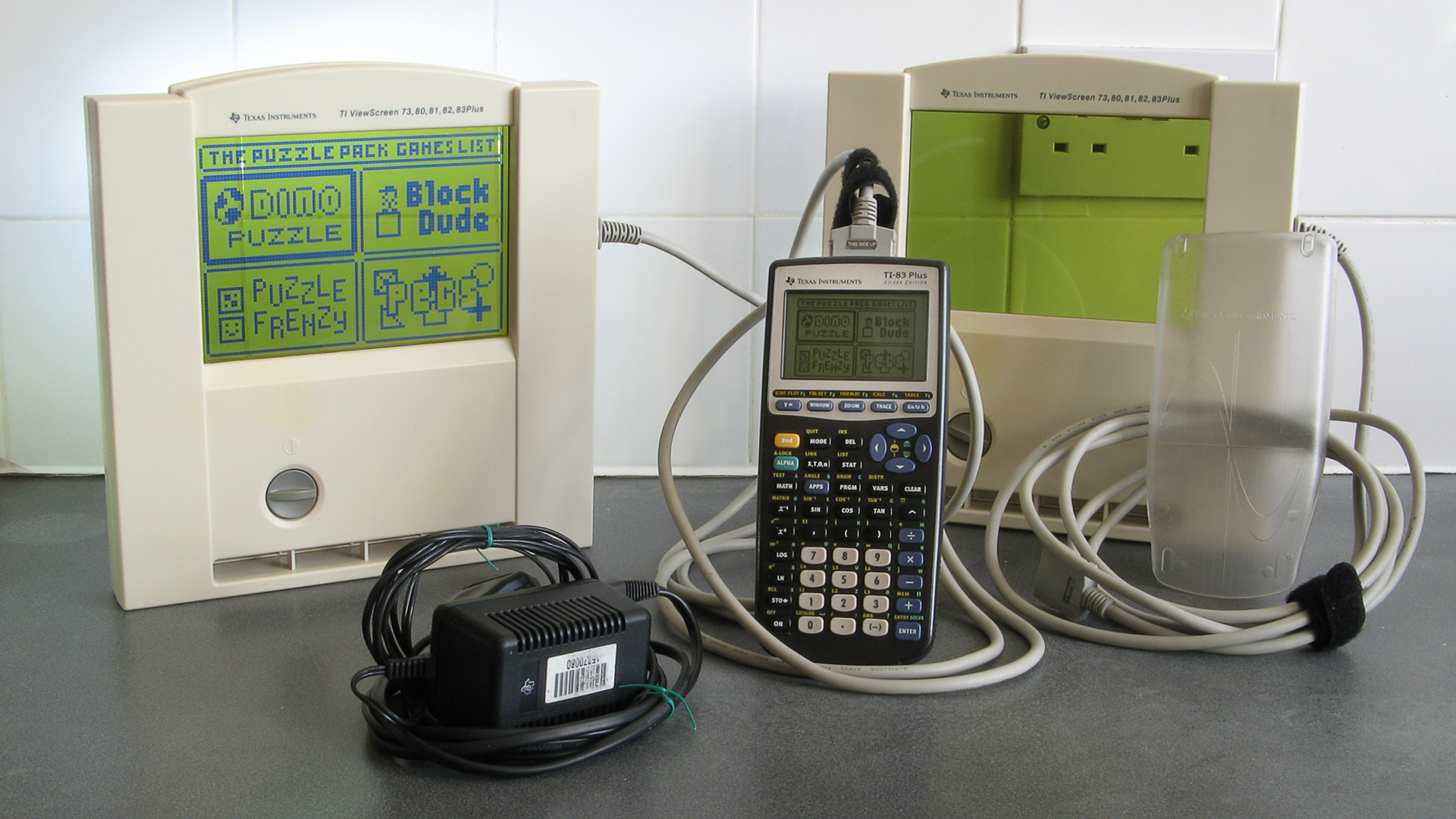
I did find the above TI-83 Plus Silver Edition calculator on eBay, though, for a good price – and it's the ViewScreen model! This has a special socket on the back of the calculator that lets you plug in a large external LCD (it came with two of them) which is designed to be used on an overhead projector so a teacher can demonstrate using the calculator to their students. I'd previously experimented with a project that displays the calculator's screen on a TV, but that captures a screenshot over the calculator's link port so is slow, requires a button to be pressed to update the image and only works in situations where the OS is idly waiting for a keypress. The ViewScreen taps into a buffered copy of the signals sent to the calculator's LCD driver, so will automatically and immediately show a copy of what's on the calculator's own screen.
Now that I had a TI-83 Plus Silver Edition I installed BBC BASIC on it, saw that the LCD fix had worked and not broken anything else, but also encountered a few other bugs that I'd not noticed before which I've also fixed:
- Pressing non-printable keys (e.g. cursor keys) in INKEY no longer slows CPU down to 6MHz until the app is restarted.
- Pressing Clear in INPUT statements now clears the whole input line instead of inserting a CHR$27 into the line.
- The On key only triggers escape when pressed. On the Silver Edition it was triggering when released as well.
These updates have been uploaded to the project page on this site, the GitHub page and ticalc.org.
Now that I had a shiny new calculator, I thought I'd try installing some other old programs on it to see how well they worked. One of these was Vinegar, a CHIP-8 and SCHIP 'emulator'/interpreter. I soon found that this also had an LCD bug on the TI-83 Plus Silver Edition, as enabling the "96x64 SCHIP mode" (which scales the 128×64 native resolution of SCHIP games down to the calculator's 96×64 display instead of cropping it) would erroneously switch the LCD driver into "6 bits per column" mode after a few seconds of play instead of the intended "8 bits per column" mode, corrupting the display.
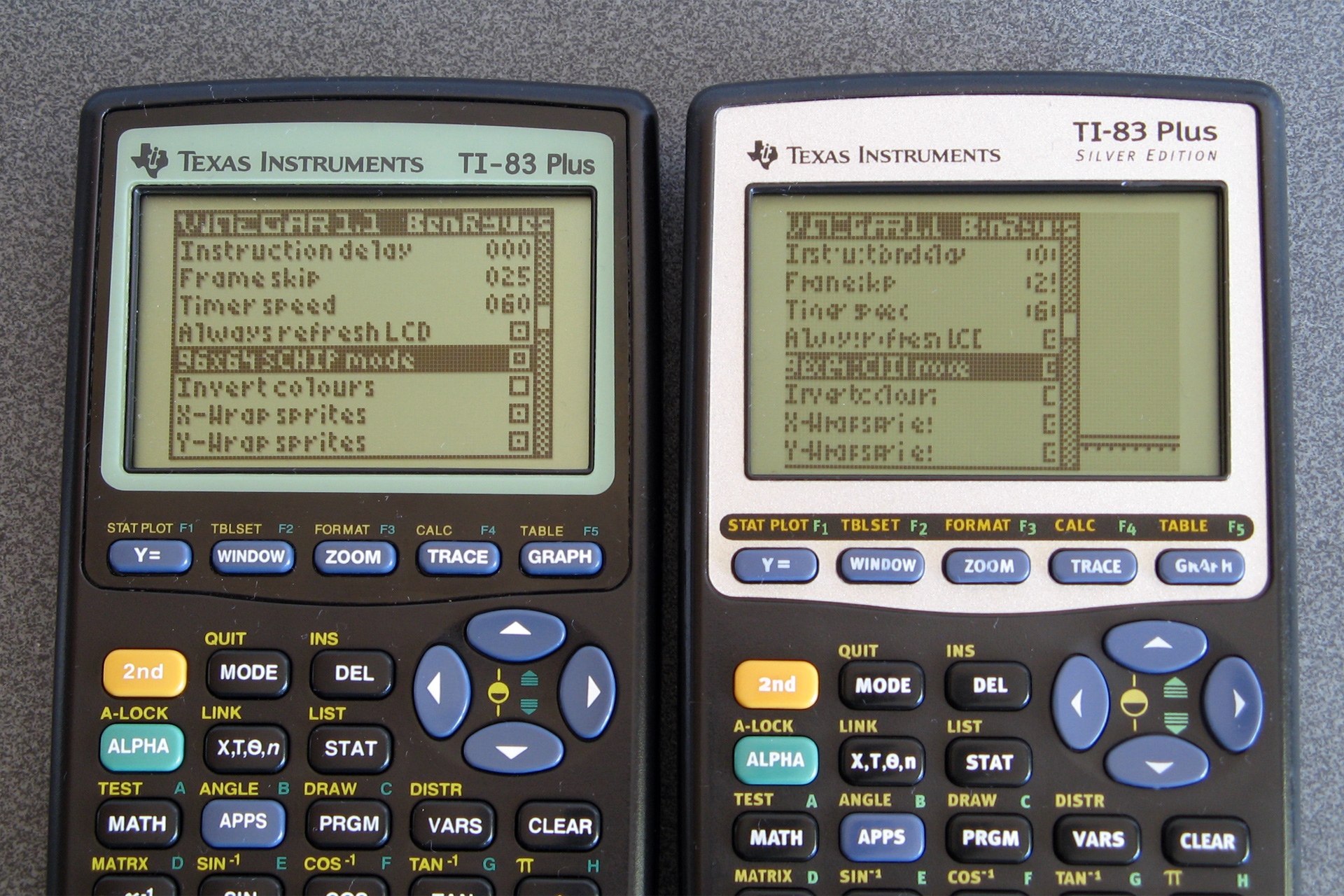
How the options menu should appear (left) versus how it appears on the Silver Edition (right) due to a bug.
This project had some very old code and had never been checked into source control so I set it up on GitHub, combined the copy of the source code I had on my local machine with the source code that was publicly available for download and fixed the LCD bug. I also found and fixed a memory leak bug that occurred if no CHIP-8/SCHIP programs ("ROMs") were installed on the calculator and added a couple of keyboard shortcuts to control the display. These changes are available in release 1.2 on the main project page, the GitHub page and ticalc.org.
The next bug I spotted was in Telnet 83. I didn't originally write this particular program, but it is included as part of the TIWiFiModem project where I've already made some bug fixes and improvements. When trying to use it to set up my TIWiFiModem with my new wireless access point I discovered that I couldn't type in the password as some of the keys were not being mapped correctly. I'd previously corrected other key mapping bugs in this program but must have missed a couple, so these are now fixed. There isn't an official release for this project but the compiled .8xp is checked directly into the repository so can be downloaded from there.
I use my old Brass assembler to build the Telnet 83 project. Some other people do still use this from time to time and so I decided it would be best for the community if the source code was available, no matter how embarassingly poorly-written it was. To this end I set up a GitHub repository a few years ago, but as the code had never been checked into source control before then there was no accompanying history. I did have a few old backups and so imported them into the repository in date order, but as these backups were taken around 20 years ago with no notes as to what I was thinking at the time it's all a bit of a mess!
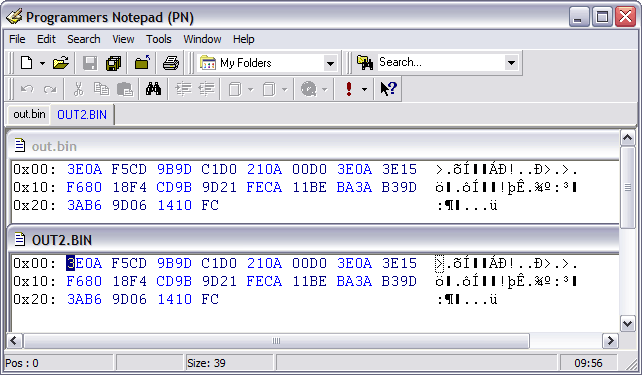
As this is not intended to be an actively-developed project I don't plan to make too many changes to it, but I have fixed a couple of bugs along the way. Notably, operator precedence is handled more correctly now (operators with the same precedence, such as * and /, are now evaluated from left to right whereas previously * had higher precedence than /). When working on Telnet 83 I also found that if data overlaps in the output binary the reported address range was incorrect and also poorly-formatted, and this has now been fixed too:
Brass Z80 Assembler 1.0.5.4 - Ben Ryves 2005-2023 ------------------------------------------------- Assembling... Pass 1 complete. (310ms). Pass 2 complete. (84ms). Writing output file... Warning: Data overlap between$14930-$14930. ← Now shows the correct value '$AB9D' Errors: 0, Warnings: 1. Done!
String literals were also handled very oddly, and I've slightly improved this and added extremely rudimentary expression parsing on string, so #include "page" + pagenum + ".asm" now works as you might expect. I've filled in some of the missing gaps in the documentation, too; updates can be downloaded from the Brass page on this site or the GitHub repository.
An even more ancient development tool that I put together was Latenite, an IDE designed to be used for Z80 development. I hadn't used this myself in years (preferring to use Visual Studio Code as an editor and the Brass 3 Project Builder to build the code and launch a debugger) but Vinegar was set up to use this (including a project file, build scripts and debug scripts) so I thought I'd give it a go. Unfortunately, it really didn't work – the files I had on my local development copy didn't match what was in the publicly released zip files, and neither worked with what Vinegar was expecting.
Again, I set up a GitHub repository for the project and tried to piece together a working code base using the files I had locally, the files that had been publicly released and what I could remember of what had gone on twenty years before.
The solution contained a series of projects for tools (an 8xp "linker", a TASM error processor and a WLA-DX error processor) that aren't included in later releases of the software. I suspect these are remnants of the project from before Brass became the bundled assembler. I have added the Brass repository as a submodule to the project so that it can be built alongside Latenite, and that will hopefully help keep things in sync.
A notable sticking point was a conflict in the PindurTI-based debugging system. There appear to be two different versions, with different debug scripts and executable names. The older "PTIDebugger" was a project in the Latenite solution I had locally, and is what the Vinegar project was looking for, however the bundled project template for TI-83 (Plus) development uses a new executable called "PindurTI Debugger" and set of debug scripts with incompatible file names and I had no record of its source code anywhere.
Fortunately, the old Latenite interface for this debugger is still present in the PindurTI debugger that's part of the Brass 3 repository, so I suspect this was originally developed for Latenite before being incorporated in the Brass 3 project. I can't currently use this as a submodule of the Latenite project as it has a dependency on Brass 3 (and I don't want to have to bundle the whole of Brass 3 in the same project, as it's not relevant) so I just copied the code over and removed the Brass 3 bits.
PindurTI is an emulator developed by the legendary Patai "cobb" Gergely, not that you'd know it from the lack of attribution in Latenite or my other development tools. Similarly, calculator shells were bundled directly for debugging purposes without mentioning their authors or including their documentation, just a raw binary. For the most part image resources used in the IDE were nicked directly from Windows XP or Visual Studio, too. This is all very naughty! Whilst I don't really intend to pick up development on Latenite again, beyond fixing some of the more obvious bugs, I would at least like to try to remedy this. I've already replaced the image resources with new icons and now provide links to the calculator shell documentation from within the IDE. There's still a way to go before I'm happy with this, though.
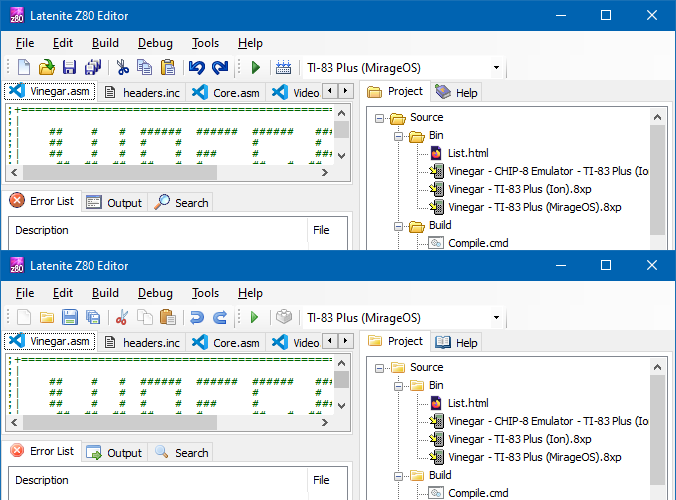
A comparison of the old icons (top) compared to the new icons (bottom).
I don't expect anyone to be still using this development tool, but in case there are old projects out there that were assembled using it then in the interest of making sure they can still be built in the future I think it's worth making sure the source code is available.
All of this relates to calculator programming and the place where I used to share all of this was the MaxCoderz forum. This has had very little traffic for the past few years, but if you were one of the few people looking for it you might have noticed that until very recently it was unavailable. This was due to bots very aggressively scraping the content, causing phpBB to insert millions of rows onto the session table on the database – this one site that had virtually zero legitimate traffic ended up slowing down the entire server to a crawl a few times per day, and though I did at first selectively block the bots it ended up being a very tedious game of Wack-a-Mole and so I ended up taking down the whole forum.
Nobody had complained about the site being down, but in the interest of keeping sites online for historical interest I have restored the site and it's now protected with CloudFlare. This is not something I'm too happy about doing, but I'd rather have a site accessible via CloudFlare than not accessible at all.
One thing I have noticed is that this site is very poorly-equipped for distributing information about updates, with so many projects being scattered across different (and poorly-maintained) sections of the site. I am currently working on overhauling this site and shifting it onto a new platform, but one of the key requirements is to not break any of the existing links or content so it'll take a bit more work to get it ready.
Migrating SVN repositories to GitHub, maintaining history even on addition/removal of a trunk folder
Friday, 16th July 2021
Years ago I had a few projects hosted in Google Code's SVN repositories, but Google closed Code down in 2015 and though I backed the files up locally via svnsync to carry on working on the projects the code was never made publicly available again.
I decided it would be a good idea to move these repositories to GitHub, but quickly ran into the problem that during the initial migration from my local repository to Google Code's repository I had been forced to move all of the code into a trunk folder (I do not generally use SVN's branching or tagging features) and attempting to synchronise from SVN to Git lost all revision history prior to that change.
After scouring the Internet and many dead ends I came up with the below solution which has worked for me. As far as I can tell the Git tools used are designed for regular synchronisation of repositories and not a one-shot bulk migration. There are separate tools that claim to do a better job with less effort but getting them up and running on my Windows system probably takes longer than figuring out how to do it with Git's own tools...
First of all, you'll need to create a user list that maps your SVN user name(s) (left) to your name and email address (right) used on GitHub, like this:
Ben = Ben Ryves <benryves@benryves.com>
Benjamin = Ben Ryves <benryves@benryves.com>
benryves = Ben Ryves <benryves@benryves.com>
benryves@benryves.com = Ben Ryves <benryves@benryves.com>
Save this list in a text file in your current directory (e.g. users.txt). Next you'll need to need to find the revision number where the move to the trunk folder happened, e.g. by checking the SVN logs. For the sake of this example, let's pretend it was in revision 100. You can now use git svn clone to create a temp copy of the SVN repository. To continue the example, suppose the SVN repository was backed up to D:\SVN\Google\brass-assembler, then the command would look like this:
git svn clone --no-metadata --authors-file=users.txt -r 1:99 file:///D/SVN/Google/brass-assembler temp
There are some notable differences from the usual here, which I'll try to explain:
- There is no --stdlayout parameter. This is because this makes the assumption that the repository follows the conventional trunk/tag/branch folder used in some SVN repositories, but this repository doesn't make use of such a structure (at least until revision 100!)
- The -r 1:99 argument limits the operation to be between the revisions 1 and 99. This is when all the files were in the root of the repository, before they were moved in revision 100.
- The SVN path looks like it's missing a colon, but this is intentional – at least on Windows the Git tools fail if the path contains a colon like it would when using the SVN tools for local paths, so remove that colon.
This may take a while to get started but eventually it should start synchronising the SVN repository to the new Git one in the temp folder up to (and including) the last revision where everything was in the root (99).
Once that has happened, you can perform the trick that makes this work. Open the file temp\.git\config in a text editor and in the [svn-remote "svn"] section you should find the line fetch = :refs/remotes/git-svn. As revisions after this point were moved into a trunk directory, we need to change this to fetch from trunk instead, so change this line to fetch = trunk:refs/remotes/git-svn:
[svn-remote "svn"]
	noMetadata = 1
	url = file:///D/SVN/Google/brass-assembler
	fetch = trunk:refs/remotes/git-svn
[svn]
	authorsfile = C:/Users/Ben/users.txt
Save the file, and then change your current working directory to your temporary repository, fetch the revisions from after the one that moved everything to trunk up to HEAD, then merge the changes (without the merge you'll only see up to the previously-cloned revision 99):
cd temp
git svn fetch -r 101:HEAD
git merge remotes/git-svn
At this point you can clone the temporary repository into a final one, so go up a level, clone the temp repository and delete it:
cd ..
git clone temp Brass3
rmdir /s /q temp
Finally, you can push this local repository to GitHub. When you add a new repository GitHub will provide a clone URL (in the form https://github.com/<username>/<reponame>.git) so change the remote origin for the local repository that was just created and push your changes:
cd Brass3
git remote rm origin
git remote add origin https://github.com/benryves/Brass3.git
git push origin master
Once that has completed you should be able to view your code on the GitHub site with its full history. The last thing I do is to delete the local Git repository and clone again from the remote one on GitHub using the GitHub Desktop program as I am more comfortable using a GUI tool to keep an eye on changes (and I find I'm less likely to mess something up by accidentally mistyping something!)
In case you couldn't tell from the above examples I've also been looking at the source code for my old Brass 3 assembler project. I've been working on a little Z80 assembly project: running BBC BASIC on the Sega Master System, which has involved a lot of my old projects – Brass 3 to assemble the code, Cogwheel to test it, Emerson to handle PS/2 keyboard input and of course my experiences with running BBC BASIC on the TI-83 Plus calculator.
One thing I realised during all this was that Brass 3 had some problems running on 64-bit versions of Windows – the help application is completely non-functional, for example, and crashes silently to desktop. I dug into the code to fix it, only to find out that I'd already done so two years ago, and even got as far as rebuilding the installer package but then just forgot to upload it to the Internet. So, I'm very sorry for the delay, but I have now uploaded "Beta 14" to the Brass 3 page.
Scripting
Wednesday, 21st November 2007
Scripting with .NET is unbelievably easy. 
I wanted to add scripting support to Brass, and have added it using .NET's excellent powers of reflection and its System.CodeDom.Compiler namespace.
The first thing I need to do is find out which language the source script is written in. I use the extension to check for this.
string ScriptFile = ...; // Name of main script file to compile.

CodeDomProvider Provider = null;

// Get the extension (eg "cs")
string Extension = Path.GetExtension(ScriptFile).ToLowerInvariant();
if (Extension.Length > 0 && Extension[0] == '.') Extension = Extension.Substring(1);

// Hunt through all available compilers and dig out one with a matching extension.
foreach (CompilerInfo Info in CodeDomProvider.GetAllCompilerInfo()) {
	if (Info.IsCodeDomProviderTypeValid) {
		CodeDomProvider TestProvider = Info.CreateProvider();
		if (TestProvider.FileExtension.ToLowerInvariant() == Extension) {
			Provider = TestProvider;
			break;
		}
	}
}

if (Provider == null) throw new CompilerExpection(source, "Script language not supported.");
Now that we have a compiler, we just set some settings, add some references, then compile the source files:
string[] ScriptFiles = ...; // Array of source file name(s) to compile.

// Compiler settings:
CompilerParameters Parameters = new CompilerParameters();
Parameters.GenerateExecutable = false; // Class lib, not .exe
Parameters.GenerateInMemory = true;

// Add references:
Parameters.ReferencedAssemblies.Add("System.dll");
Parameters.ReferencedAssemblies.Add("Brass.exe");

// Compile!
CompilerResults Results = Provider.CompileAssemblyFromFile(Parameters, ScriptFiles);
And that's it! In my case I now pass any errors back up to the assembler, and exit if there were any errors:
// Errors?
foreach (CompilerError Error in Results.Errors) {
	Compiler.NotificationEventArgs Notification = new Compiler.NotificationEventArgs(compiler, Error.ErrorText, Error.FileName, Error.Line);
	if (Error.IsWarning) {
		compiler.OnWarningRaised(Notification);
	} else {
		compiler.OnErrorRaised(Notification);
	}
}

// Do nothing if there were errors.
if (Results.Errors.HasErrors) return;
Now the task is passed on to reflection; I go through the compiled assembly, hunt down methods and wrap them up for use as native Brass functions and/or directives.
// Grab the public classes from the script.
foreach (Type T in Results.CompiledAssembly.GetExportedTypes()) {
    // ...
}
I've used this technique in the release of my PAL demo; a C# script file is used to encode an image to the 18×304 resolution and format required by the routine.
Brass 3.0.0.0 Beta 1
Monday, 5th November 2007
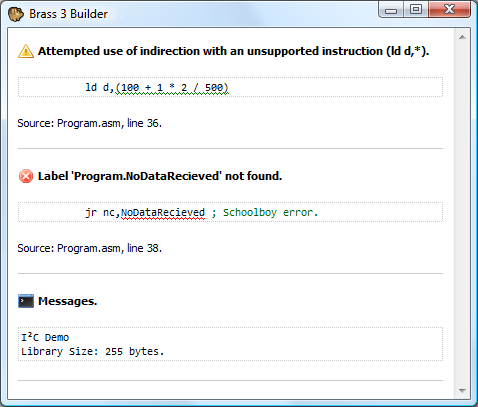
I've released a beta version of the new assembler. It comes with the compiler, a GUI builder (see the above screenshot) and the help viewer; it also comes bundled with a number of plugins.
I've also knocked together a quick demo project that can be built directly from Explorer once Brass is installed.
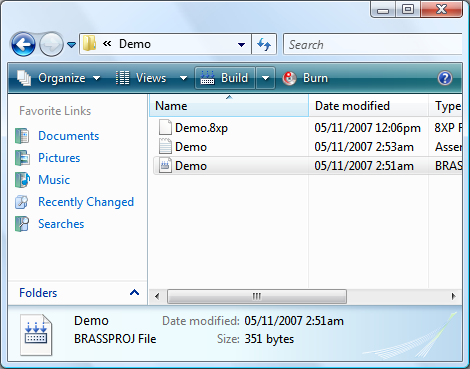
There are a number of missing features (such as a project editor, project templates and multiple build configurations) and no doubt broken, incomplete or untested components - but at least it's out in the wild now, which gives me an incentive to fix it!
Brass 3 and TI-83+ Emulation
Friday, 26th October 2007
Brass 3 development continues; the latest documentation (automatically generated from plugins marked with attributes via reflection) is here. The compiler is becoming increasibly powerful - and labels can now directly store string values, resulting in things like an eval() function for powerful macros (see also clearpage for an example where a single function is passed two strings of assembly source and it uses the smallest one when compiled).
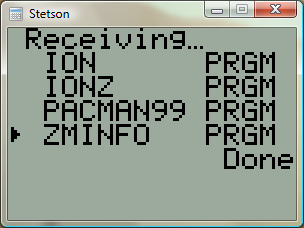
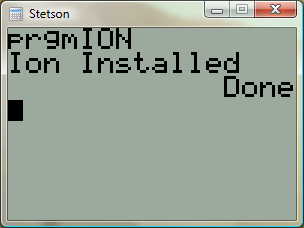
Thanks to a series of hints posted by CoBB and Jim e I rewrote my TI-83+ emulator (using the SMS emulator's Z80 library) and it now boots and runs pretty well. The Flash ROM archive isn't implemented, so I'm stuck with OS 1.12 for the moment (later versions I've dumped lock up at "Defragmenting..."). I also haven't implemented software linking, and so to transfer files I need to plug in my real calculator to the parallel port and send files manually.
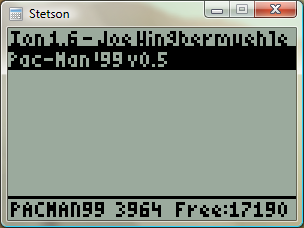
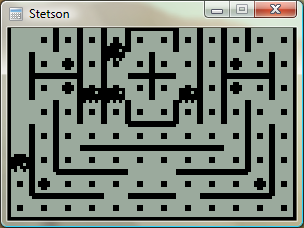
Brass 3
Tuesday, 2nd October 2007
Quake isn't dead, but I've shifted my concentration to trying to get Brass 3 (the assembler project) out.
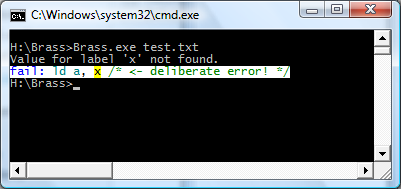
Brass 2 didn't really work, but I've taken a lot of its ideas - namely the plugin system - and kept some of the simplicity from Brass 1. The result works, and is easy to extend and maintain. Last night I got it to compile all of the programs I used for testing Brass 1 against TASM successfully.
I'm taking advantage of .NET's excellent reflection capabilities; one such example is marking plugin functions with attributes for documentation purposes, meaning that all you need to get Brass documentation is to drop your plugin collection assemblies (DLLs) into the Brass directory then open the help viewer app.
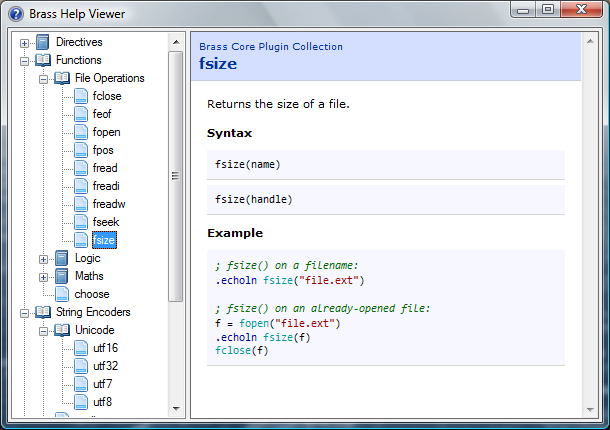
The source code examples are embedded as text, but compiled by the viewer (and thus syntax-highlighted) so you can click on directives or functions and it'll jump to their definitions automatically.
Native function support and a much-improved parser means that complex control structures can be built up, like:
file = fopen("somefile.txt")

#while !feof(file)
    .db fread(file)
#loop

fclose(file)
The compiler invokes the plugins, and the plugins talk back to the compiler ("remember your current position", "OK, we need to loop, so go back to this position", "this loop fails, so switch yourself off until you hit the #loop directive again").
The compiler natively works with project files (rather than some horrible command-line syntax) which specify which plugins to load, which include directories to search and so on and so forth. There are a number of different plugin classes:
- IAssembler - CPU-specific assembler.
- IDirective - assembler directive.
- IFunction - functions like abs() or fopen().
- IOutputWriter - writes the object file to disk (eg raw, intel hex, TI-83+ .8xp).
- IOutputModifier - modifies each output byte (eg "unsquishing" bytes to two ASCII charcters for the TI-83).
- IStringEncoder - handles the conversion of strings to byte[] arrays (ascii, utf8, arcane mappings for strange OS).
Unlike Brass 2, though, I actually have working output from this, so hopefully it'll get released!
As a bonus, to compare outputs between this and TASM (to check it was assembling properly) I hacked together a binary diff tool from the algorithm on Wikipedia (with the recursion removed) - it's not great, but it's been useful to me. 
using System;
using System.Collections.Generic;
using System.Text;
using System.IO;

namespace Differ {
	class Program {
		static void Main(string[] args) {

			// Prompt syntax:
			if (args.Length != 2) {
				Console.WriteLine("Usage: Differ <file1> <file2>");
				return;
			}

			// Load both files into byte arrays (sloppy, but whatever).
			byte[][] Data = new byte[2][];

			for (int i = 0; i < Data.Length; ++i) {
				try {
					byte[] Source = File.ReadAllBytes(args[i]);
					Data[i] = new byte[Source.Length + 1];
					Array.Copy(Source, 0, Data[i], 1, Source.Length);
				} catch (Exception ex) {
					Console.WriteLine("File load error: " + args[i] + " (" + ex.Message + ")");
					return;
				}
			}

			// Quick-and-dirty equality test:
			if (Data[0].Length == Data[1].Length) {
				bool IsIdentical = true;
				for (int i = 0; i < Data[0].Length; ++i) {
					if (Data[0][i] != Data[1][i]) {
						IsIdentical = false;
						break;
					}
				}
				if (IsIdentical) {
					Console.WriteLine("Files are identical.");
					return;
				}
			}

			if (Data[0].Length != Data[1].Length) {
				Console.WriteLine("Files are different sizes.");
			}

			// Analysis:
			int[,] C = new int[Data[0].Length, Data[1].Length];
			for (int i = 1; i < Data[0].Length; ++i) {
				if ((i - 1) % 1000 == 0) Console.Write("\rAnalysing: {0:P}...", (float)i / (float)Data[0].Length);
				for (int j = 1; j < Data[1].Length; ++j) {
					if (Data[0][i] == Data[1][j]) {
						C[i, j] = C[i - 1, j - 1] + 1;
					} else {
						C[i, j] = Math.Max(C[i, j - 1], C[i - 1, j]);
					}
				}
			}
			Console.WriteLine("\rResults:".PadRight(Console.BufferWidth - 1));

			List<DiffData> CollectedDiffData = new List<DiffData>(Math.Max(Data[0].Length, Data[1].Length));

			for (int i = Data[0].Length - 1, j = Data[1].Length - 1; ; ) {
				if (i > 0 && j > 0 && Data[0][i] == Data[1][j]) {
					CollectedDiffData.Add(new DiffData(DiffData.DiffType.NoChange, Data[0][i], i, j));
					--i; --j;
				} else {
					if (j > 0 && (i == 0 || C[i, j - 1] >= C[i - 1, j])) {
						CollectedDiffData.Add(new DiffData(DiffData.DiffType.Addition, Data[1][j], i, j));
						--j;
					} else if (i > 0 && (j == 0 || C[i, j - 1] < C[i - 1, j])) {
						CollectedDiffData.Add(new DiffData(DiffData.DiffType.Removal, Data[0][i], i, j));
						--i;
					} else {
						CollectedDiffData.Reverse();
						break; // Done!
					}
				}
			}


			DiffData.DiffType LastType = (DiffData.DiffType)(-1);

			int PrintedData = 0;
			foreach (DiffData D in CollectedDiffData) {
				if (LastType != D.Type) {
					Console.WriteLine();
					Console.Write("{0:X4}:{1:X4}", D.AddressA - 1, D.AddressB - 1);
					LastType = D.Type;
					PrintedData = 0;
				} else if (PrintedData >= 16) {
					Console.WriteLine();
					Console.Write("         ");
					PrintedData = 0;
				}
				ConsoleColor OldColour = Console.ForegroundColor;

				switch (D.Type) {
					case DiffData.DiffType.NoChange:
						Console.ForegroundColor = ConsoleColor.White;
						break;
					case DiffData.DiffType.Addition:
						Console.ForegroundColor = ConsoleColor.Green;
						break;
					case DiffData.DiffType.Removal:
						Console.ForegroundColor = ConsoleColor.Red;
						break;
				}
				Console.Write(" " + D.Data.ToString("X2"));
				++PrintedData;
				Console.ForegroundColor = OldColour;
			}
			Console.WriteLine();

		}

		private struct DiffData {

			public enum DiffType {
				NoChange,
				Addition,
				Removal,
			}

			public DiffType Type;

			public byte Data;

			public int AddressA;
			public int AddressB;

			public DiffData(DiffType type, byte data, int addressA, int addressB) {
				this.Type = type;
				this.Data = data;
				this.AddressA = addressA;
				this.AddressB = addressB;
			}


		}
	}
}
Removals are shown in red, additions are shown in green, data that's the same is in white.
TI Emulation, Functions in Brass and Gemini on the Sega Game Gear
Tuesday, 13th February 2007
This post got me wondering about a TI emulator. I'd rather finish the SMS one first, but so as to provide some pictures for this journal I wrote a T6A04 emulator (to you and me, that's the LCD display driver chip in the TI-82/83 series calculators). In all, it's less than a hundred lines of code.
The problem with TI emulation is that one needs to emulate the TIOS to be able to do anything meaningful. Alas, I had zero documentation on the memory layout of the TI calculators, and couldn't really shoe-horn the ROM dump into a 64KB RAM, so left it out entirely. That limits my options as to what I can show, but here's my Microhertz demo -
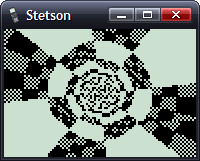
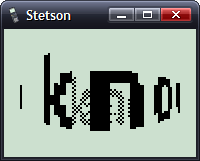
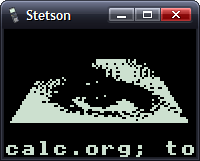
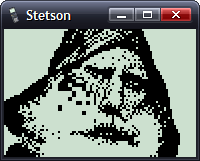
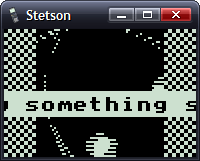
I've added native support for functions in Brass.
The old Brass could do some function-type things using directives; for example, compare the two source files here:
.fopen fhnd, "test.txt"          ; Opens 'test.txt' and stores a handle in fhnd
.fsize fhnd, test_size           ; Stores the size of the file in test_size

.for i, 1, test_size
    .fread fhnd, chr             ; Read a byte and store it as "chr"
    .if chr >= 'a' && chr <= 'z' ; Is it a lowercase character?
        .db chr + 'A' - 'a'
    .else
        .db chr
    .endif
.loop

.fclose fhnd                      ; Close our file handle.
I personally find that rather messy. Here's the new version, using a variety of functions from the 'File Operations' plugin I've been writing:
fhnd = fopen("test.txt", r)

#while !feof(fhnd)
    chr = freadbyte(fhnd)
    .if chr >= 'a' && data <= 'z'
        .db chr + 'A' - 'a'
    .else
        .db chr
    .endif
#loop

fclose(fhnd)
I find that a lot more readable.
An extreme example is the generation of trig tables. Brass 1 uses a series of directives to try and make this easier.
.dbsin angles_in_circle, amplitude_of_wave, start_angle, end_angle, angle_step, DC_offset
Remembering that is not exactly what I'd call easy. If you saw the line of code:
.dbsin 256, 127, 0, 63, 1, 32
...what would you think it did? You'd have to consult the manual, something I'm strongly opposed to. However, this code, which compiles under Brass 2, should be much clearer:
#for theta = 0, theta < 360, ++theta
    .db min(127, round(128 * sin(deg2rad(theta))))
#loop
By registering new plugins at runtime, you can construct an elaborate pair of directives - in this case .function and .endfunction - to allow users to declare their own.
_PutS = $450A

.function bcall(label)
    rst $28
    .dw label
.endfunction

bcall(_PutS)
You can return values the BASIC way;
.function slow_mul(op1, op2)
    slow_mul = 0
    .rept abs(op1)
        .if sign(op1) == 1
            slow_mul += op2
        .else
            slow_mul -= op2
        .endif
    .loop
.endfunction

.echo slow_mul(log(100, 10), slow_mul(5, 4))
I had a thought (as you do) that it would be interesting to see how well a TI game would run on the Sega Master System. After all, they share the CPU, albeit at ~3.5MHz on the SMS.
However, there are some other differences...
- Completely different video hardware.
- Completely different input hardware.
- 8KB RAM rather than 32KB RAM.
- No TIOS.
The first problem was the easiest to conquer. The SMS has a background layer, broken up into 8×8 tiles. If I wrote a 12×8 pattern of tiles onto the SMS background layer, and modified the tile data in my own implementation of _grBufCpy routine, I could simulate the TI's bitmapped LCD display (programs using direct LCD control would not be possible).
You can only dump so much data to the VRAM during the active display - it is much safer to only write to the VRAM outside of the active display period. I can give myself a lot more of this by switching off the display above and below the small 96×64 window I'll be rendering to; it's enough to perform two blocks, the left half of the display in one frame, the right in the next.
As for the input, that's not so bad. Writing my own _getK which returned TI-like codes for the 6 SMS buttons (Up, Down, Left, Right, 1 and 2) was fine, but games that used direct input were a bit stuck. I resolved this by writing an Out1 and In1 function that has to be called and simulates the TI keypad hardware, mapping Up/Down/Left/Right/2nd/Alpha to Up/Down/Left/Right/1/2.
The RAM issue can't be resolved easily. Copying some chunks of code to RAM (for self-modifying reasons) was necessary in some cases. As for the lack of the TIOS, there's no option but to write my own implementation of missing functions or dummy functions that don't do anything.
Even with the above, it's still not perfect. If I leave the object code in Gemini, the graphics are corrupted after a couple of seconds of play. I think the stack is overwriting some of the code I've copied to RAM.
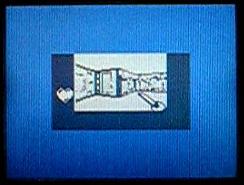
No enemies make it a pretty bad 'game', but I thought it was an entertaining experiment.
Sega Tween
Thursday, 1st February 2007
No updates for a while, I'm afraid - things have been pretty hectic.

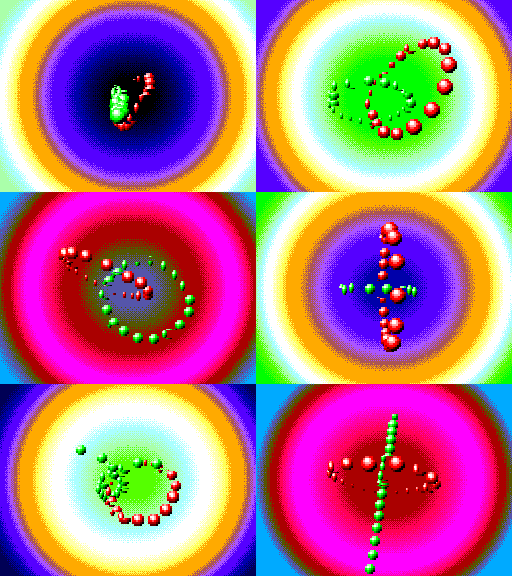
I packaged up and released the Sega Tween demo I'd been working on. As you can see, I added an SMS and a 3D mode - this works with the SMS 3D glasses. The extra 3D is quite cheap to calculate - shift the rotated X coordinates one way for one eye, then the other way for the other eye. After projection to the screen they need to be shifted back a little way to re-centre, but it works quite well.

However, I had neglected the fact that the SMS1 (which has the card slot, and hence the model that supports the 3D glasses) had a bug in the VDP and as such only supports four zoomed sprites per scanline. I added this glitch to the emulator;
In other news, I've done a small amount of work on Brass. It's quite embarrassing, really, how slow the old version is. Assembling this file:
.rept 9000
	ld a,1
.unsquish
	ld a,2
.squish
	ret
.loop
...produces this in old Brass:
Brass Z80 Assembler 1.0.4.9 - Ben Ryves 2005-2006
-------------------------------------------------
Assembling...
Pass 1 complete. (2093ms).
Pass 2 complete. (22062ms).
Writing output file...
Errors: 0, Warnings: 0.
Done!
Nearly half a minute! New Brass does a much better job of syntax parsing and caching...
Brass Assembler - Copyright © Bee Development 2005-2007
-------------------------------------------------------
ZiLOG Z80 - Copyright © Bee Development 2005-2006
TI Program Files - Copyright © Bee Development 2005-2006
Core Plugins - Copyright © Bee Development 2005-2006

Parsing source...
Building...
Writing output...
Time taken: 484.38ms.
Done!
Down to just under half a second. That's almost a 50× speed increase!
It lives..!
Wednesday, 25th October 2006
Thanks for the support, MrEvil, and thanks for noticing my rather dead tutorials section, linkofazeroth.
Sadly, I've been horribly busy recently - and so very little progress on any project. However, Brass 2 is starting to come together...
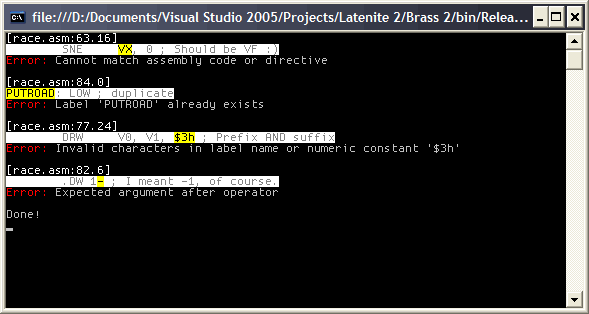
Can you guess which device the code is for?
Well, it'll never be an IOTD, but it's something. With the syntax fixed, it does actually work (and outputs a valid binary). I've been trying to work out the syntax used (with valuable input from CoBB over at MaxCoderz). Currently it operates by loading the entire document, trying to work out what each "command" is, before running it and executing the various commands. This has one big problem I can see - macros won't work, as they need to operate on the tokens before they're executed. This is fine, but to declare a macro you'd need to use, for example, a .define directive - which doesn't get executed until long after the source has been loaded and broken into tokens, expressions and commands.
Lack of macros and a horribly incomplete Z80 assembler plugin mean that so far I've been unable to test alongside old calculator Z80 source.
Latenite and Brass 2
Wednesday, 11th October 2006
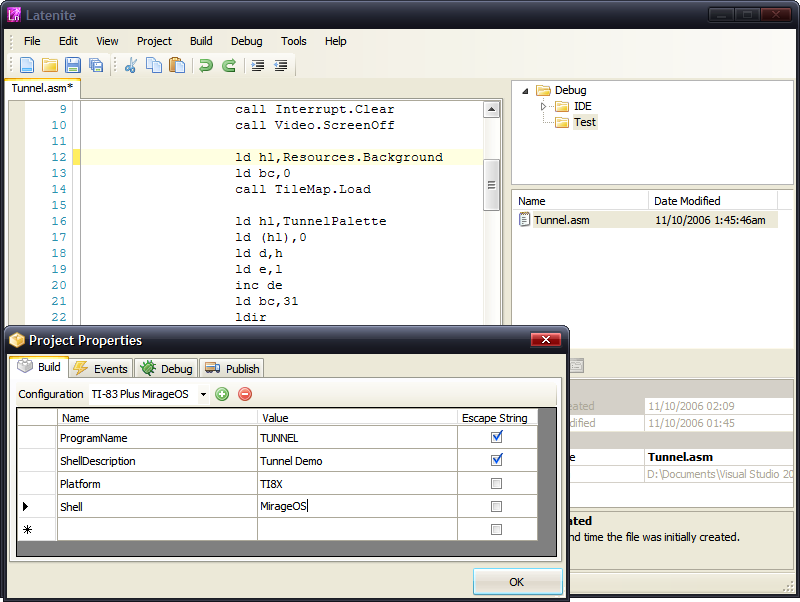
Both Latenite and Brass are getting a significant upgrade - and both are being written from scratch.
Both will sport a plugin-based architecture. This is most obvious with Brass - where pretty much everything - be it an assembler plugin or output plugin - can be extended by writing your own custom plugins. All Brass does is parse the basic syntax and pass it to the various plugins to work out what to do with it!
Latenite will load Brass and use it to provide feedback - such as error reporting and syntax highlighting - directly to the user.
General discussion is handled here; for what I mean with regards to Brass plugins, there's this post.
The basic idea is that you can plug in your own assembler and use it alongside Brass and Latenite.
Stuff and nonsense
Tuesday, 22nd August 2006
Brass
Important: all versions ≤ 1.0.4.5 have a major bug with ZIDX instructions (eg rr (ix+1)) meaning that they are not output correctly. Please upgrade to 1.0.4.6 as soon as possible.
Other stuff
I haven't had much of a chance to do anything especially exciting of late. I found my PICAXE chips and also found out the reason that one of them never seemed to work was that I was using an old version of the programming software and the chip was an 18X, not a regular 18 (so lots of extra space - can only be a good thing). I'm not sure what to do with them, though. I had thought of using one of the PICAXE-08Ms as a super-cheap "greylink" replacement (cable for TI calculators that deals with the TI byte transfer protocol at one end and RS232 serial at the other - unlike the blacklink that implements the TI byte transfer protocol in software), but I can't read serial data in and output it fast enough and just end up dropping bytes.
Ideas on the back of a postcard, please.
I've been trying to help someone get started with FMOD Ex - they're using VB.NET, and FMOD Ex is only supplied with a C♯ wrapper. No matter, it gave me an opportunity to experiment with class libraries. It was a bit of an anticlimax... just create a new 'class library' project, add the C♯ wrapper files, hit build then add the output DLL as a reference to the VB.NET project. Couldn't be easier. Just use the System.Runtime.Interop.Marshal class to dump data around rather than the unsafe pointers from the examples and it works like a champ.
Applications
Wednesday, 7th June 2006
I've been attempting to add native TI-83+/TI-73 application support to Brass. Testing with Flash Debugger has been an entertaining experience, not least thanks to helpful messages like:
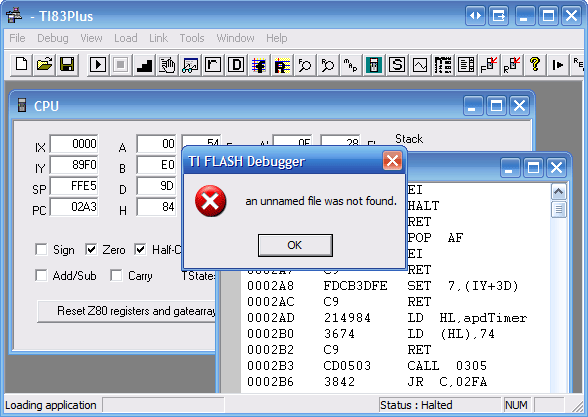
I haven't managed to get a signed application running in Flash Debugger or on hardware yet - I suspect the header is wrong - but seeing as the demo application has a different header structure to what the header generator creates, and both have generally conflicting information, I need to find some better resources.
If you want to sign applications from C♯ via Wappsign, this wrapper around the COM object might be useful. You'd use it like this:
// Sign the app (where BinaryFile is the filename of the .hex file to sign)
try {

    AppSigner Signer = new AppSigner(AppSigner.Mode.DetectType);

    // Get the key file
    string KeyFile = Signer.GetKeyFile(BinaryFile);
    if (KeyFile == "") throw new Exception("Couldn't find the key file.");

    // Get the output filename
    string SignedAppFilename = Signer.FormatOutput(BinaryFile);
    if (SignedAppFilename == "") throw new Exception("Couldn't establish output filename.");

    // Sign the bugger
    int Signed = Signer.Sign(BinaryFile, KeyFile, SignedAppFilename);
    if (Signed != 0) throw new Exception(Signer.GetErrorMessage(Signed));

} catch (Exception ex) {
    // Didn't work as it should
    DisplayError(ErrorType.Error, "Could not sign application: " + ex.Message);
}
Debugging fun
Monday, 22nd May 2006
One part of the Latenite 'suite' that's needed some dire attention is the PindurTI interface. This talks to the excellent TI emulator via a non-interactive mode, and can therefore sit between Latenite (and your source code) and the emulated calculator (which is running your binary).
The current incarnation of this tool is very primitive - you have a calculator that you can run/pause and send files to. That's it.
A picture should illustrate what the new one's like and what the old one was missing:
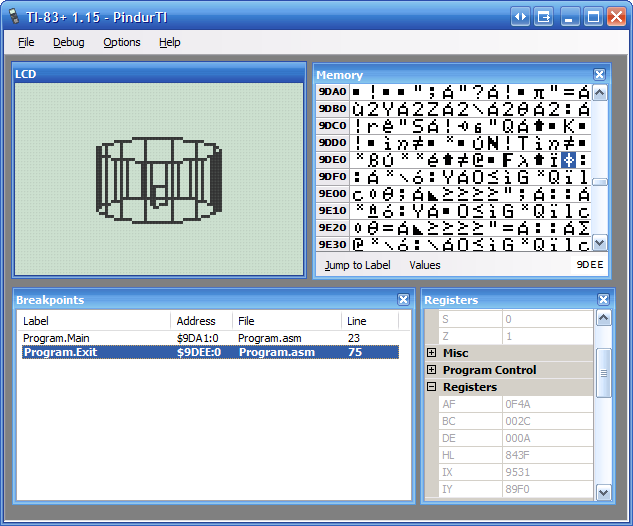
There's a memory viewer, register viewer, and breakpoint window. Breakpoints are caught and highlighted in the breakpoint window.
Currently, there is no editing of the calculator state - PindurTI has yet to support writing back the status (it can only dump it at the moment). All the breakpoint and label information comes from the debug file exported directly by Brass.
Patch files
Monday, 15th May 2006
I added Emukon patch file export to Brass - Brass will export all the labels, variables and breakpoints from the source and Emukon can then load them in. It makes debugging much simpler...
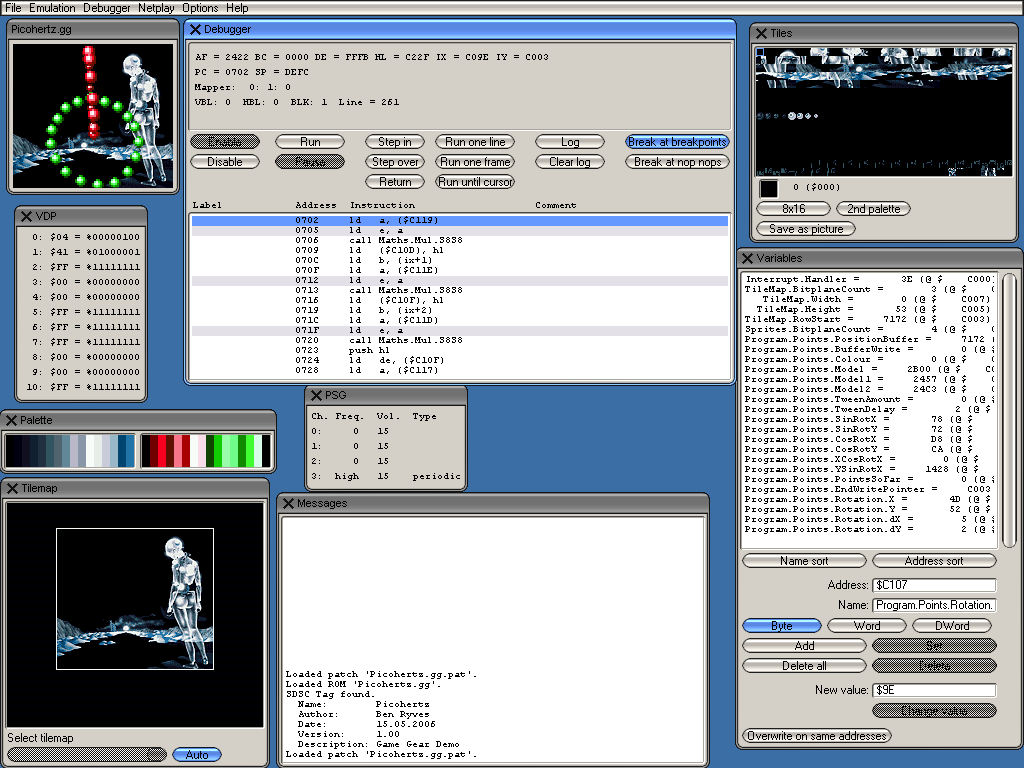
In my Game Gear-related fiddling, I optimised the tween demo code significantly, but then slowed it back down again by adding 4 more points, extending the rotation code to using 16.16 rather than 16.8 fixed-point and using a proper linear tween. It's still a bit smoother, though:
Structs and sensible variable layout
Tuesday, 9th May 2006
When developing an assembly program, you need to 'declare variables' by attaching an address (in RAM) to a label.
The problem here, of course, is having to calculate all the relevant positions in RAM for each variable. For example,
ram = $C000 ; Assume RAM starts at address $C000

var1 = ram+0
var2 = ram+1
var3 = ram+3 ; var2 is 2 bytes!
; ... and so on ...
Now this is fairly painful. So, I added .varloc and .var directives to Brass:
ram = $C000 ; Assume RAM starts at address $C000

.varloc ram, 1024 ; 1024B in size

.var 1, var1
.var 2, var2
.var 1, var3
; ... and so on ...
This eases things a bit, but what if you have lots of variables and a number of different RAM areas? Now you still have to shuffle things around to fit. So, now, Brass allows you to define multiple areas of memory for variables (through multiple .varloc statements) and shuffles around all the variables to best fit in the available memory. Variables defined using .tempvar can even overwrite eachother (provided they are in different, not-nested modules) to save space.
Of course, sometimes you need variables to share consecutive areas of RAM, so I also added structure support.
; Define it

.struct Point2D
    .var db, X
    .var db, Y
.endstruct

; Use it

.var Point2D, Me

    ld a,10
    ld (Me.X),a

    ld a,32
    ld (Me.Y),a

    ld hl,10+32*256
    ld (Me),hl

; Or even:

.struct Point3D
    .var Point2D, P
    .var db,      Z
.endstruct

.var Point3D, You

    ld a,(You.P.X)
And, to comply with the picture requirement, have something ancient and completely unrelated.

Further Brass development
Friday, 28th April 2006
One of my ongoing projects is Brass, a Z80 assembler.
The newest release adds all sort of goodness, especially nested modules - for example:
.nestmodules
.local
.module Animals

    .module Cat
        Legs = 4
    .endmodule

    .echo "Humans have ", Human.Legs, " legs.\n"

    .module Human
        Legs = 2
        .module Brother
            Age = 17
            .echo "My sister is ", Animals.Human.Sister.Age, " years old.\n"
        .endmodule
        .module Sister
            Age = 21
            .global
                Arms = 2
            .endglobal
        .endmodule
    .endmodule

    .module Spider
        Legs = 8
        .echo "A spider has ", Legs, " legs.\n"
    .endmodule

.endmodule

.echo "Cats have ", Animals.Cat.Legs, " legs.\n"
.echo "My brother is ", Animals.Human.Brother.Age, " years old.\n"
.echo "My sister has ", Arms, " arms (global!)\n"
It also now allows for unsquished binaries (where each byte is expanded to two ASCII characters - the hexadecimal representation of the byte. This is used in native TI-83 programs).
I'm trying to unify (to some extent) 82, 83 and 83+ programming (as the hardware is fairly standard between them) - hopefully, fairly carefully written source code should be able to be assembled to 82, 83 and 83+ binaries for a variety of shells with a single keypress from Latenite. TI haven't made this easy with large inconsistency between system call names and variable names...
YM2413 (OPLL) Emulation
Monday, 30th January 2006
As (yet another) side project to all this Z80 work, I've also decided to have a stab at the Japanese Master System's FM chip. It's a YM2413, and the documentation on it is fairly tricky to get to grips with - not only thanks to it being in typical Japanese-manual English.
So far, I have this - the VGM player is a bit buggy and extremely primitive (unfinished), but should be enough to demonstrate the current state of the OPLL. You'll need an FM VGM to try it with - the Space Harrier demo from the BIOS sounds pretty good.
If anybody has had any experience with the YM2413, I'd be interested to hear if you had any helpful tips...
In other news, I've been adding multipage program support to Brass, and Latenite has had a lot of debugger integration work done on it. It's still a long slog before it's in a presentable state, sadly.
TI Z80 Development Gets Cool
Tuesday, 10th January 2006
This excites me greatly - integrating a debugging emulator into Latenite is very, very awesome. CoBB's emulator is incredibly good as a standalone, being able to step through your code instruction-by-instruction with breakpoints and a watch window or two is just amazing!
I spent most of the last few days working on Brass - adding for loops to assemble blocks of code multiple times and a few file operations for people not happy with the behaviour of .incbin. I also remembered to release an XML help file for Latenite.
The Marble Madness engine project has been plodding along in the background - I've written a fast masked, clipped, 16x16 sprite routine and have started tackling the big problem of mapping the ball's 3D coordinates to the screen (easy) and then to a heightmap (hard) for Physics.
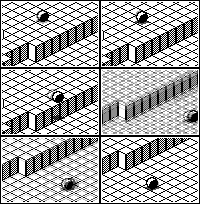
Have a marble rolling off a ledge then bouncing off the right screen boundary. 
Intelligent macro-matching, VS icon nicking
Thursday, 22nd December 2005
Brass has got a new macro preprocessor, that hopefully makes the work of people writing things like the macro-driven TI ASM API easier, and will generate less redundant code.
TASM only supports simple find-and-replace macros; so, for example:
#define draw_sprite(x,y,sprite) ld a,x\ ld b,y\ ld hl,sprite\ call put_sprite

draw_sprite(10,43,my_sprite)
; Generates the following:
 ld a,10
 ld b,43
 ld hl,my_sprite
 call put_sprite

draw_sprite(a,43,hl)
; Generates the following:
 ld a,a ; Rubbish!
 ld b,43
 ld hl,hl ; Not going to work...
 call put_sprite
Brass, however, supports more intelligent macros - like this example shows. It will switch between a variety of different macros, depending on the arguments passed in.
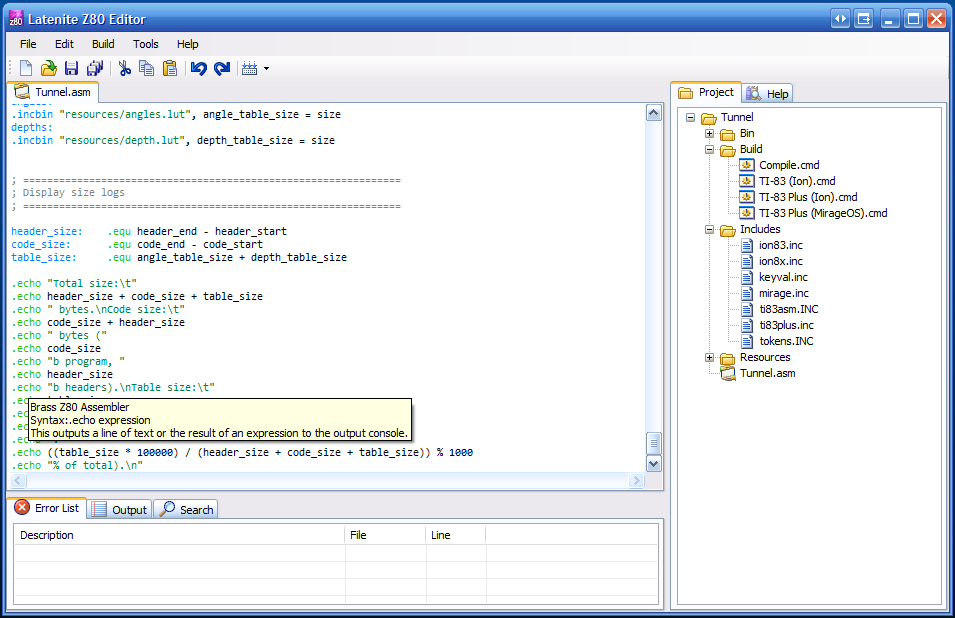
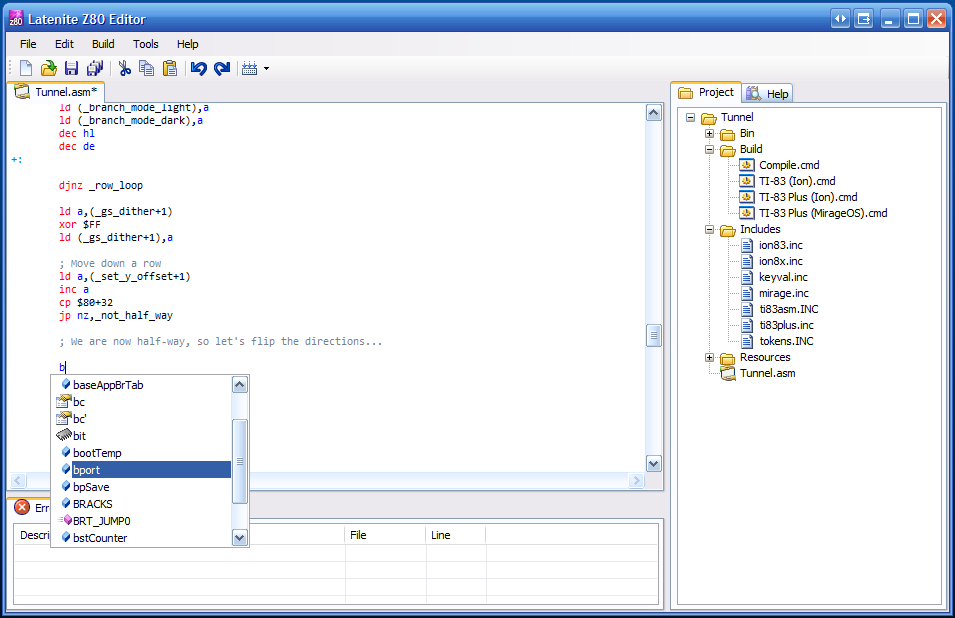
Latenite is still in development - nothing particularily visible, barring the new tooltips and worrying familiar icons.
Business with the Z80
Monday, 12th December 2005
I have been pretty busy with Brass and Latenite over the last few days - Latenite has had a few little adjustments/improvements/fixes, but also has a few new holes in it which means that it is unsuitable for release. I'm adding the ability to hook help files to projects rather than each project being loaded with every help file - this has the extra bonus that Brass will be able to compile help files straight from the source, which will then be reloaded on each build by Latenite.
I did something unheard of over the weekend as well - I read the SDK manual for the TI-83 Plus. Mainly because I was trying to work out how some of the function calls worked, but also the stuff they talk about with regards to applications (as opposed to programs - applications fill multiple 16KB pages of ROM on the calculator, programs are variable sizes and are copied to RAM location $9D93 for execution) was pretty interesting - and it sounds pretty nightmarish! I'll download some of the application development tools, see if I can puzzle them out and then try and recreate their behaviour in Brass. It's yet another output format - Brass can, with the .binarymode directive, switch between a number of binary output formats, including TI calculator formats (TI-73, TI-82, TI-83, TI-83+, TI-85, TI-86), raw binary and a number of hex text files (Intel, Intel word address, MOS technology and Motorola).
I'd never really understood how the LCD display driver worked on the TI-83 Plus, and the SDK documentation was pretty useful - even though I still can't quite work out why the X axis goes from top-to-bottom and the Y axis goes from left-to-right. It turns out direct access to the LCD can produce some very fast results... (and the world's worst greyscale):

Download binaries for TI-83/TI-83 Plus [Ion/MirageOS]
Yes, yes, I have a little 'something' about 3D tunnels.
It lives!
Monday, 5th December 2005
A public release of Brass has been released... it can assemble some rather nasty Z80 code (TASM macro-abusing code, that is!) fine. Hopefully people can start finding the parse errors, or just complain at the horrible colour scheme of the manual.
And why did nobody tell me you could access the LSB/MSB of IX/IY through IXL/IXH/IYL/IYH before?
@kwijibo: You can use a Latenite beta if you take this file then unzip this file on top of it. It is almost entirely data driven - all Z80 registers (that I knew about) and flags (likewise) are hard-coded (but not Z80 instructions).
BRASS
Wednesday, 30th November 2005
One logical step up for Latenite is to not have to be bundled with a 3rd party assembler.
Mainly because one (high profile!) user is having real problems getting the buggy TASM to work with it, and other people have expressed annoyance with TASM, (limited string length, limited label length, limited numbers of DBs, lack of features, buffer overflow crashes... the usual) I have decided that I need to write an assembler (BRASS).
WLA-DX is very nice but is geared towards console development and burning programs on ROMs, and defining a ROM bank map for a TI-83 Plus program is a bit silly. I will try and keep it as compatible with TASM as possible, so old TASM-geared code still compiles, but will add some new features.
(BRASS at the top, TASM at the bottom - not that it actually matters!)
A lot of work still needs to be done - supporting ZIDX/ZIX/ZBIT instructions (anything like BIT *,A or LD A,(IX*)) is a pretty important one, for starters. The expression parser (for things like "_label+21" needs to actually parse expressions (all it does at the moment is check for and substitute in labels or numbers). Directives for conditionals and macros (and macros themselves!) need to be worked in.
Currently supported directives: .org, .include (#include maps to .include), .locallabelchar and .module.
.include could do with some work, this will compile (or rather, it won't ever get into pass 2):
File: test.asm
.include "test.asm"
I also need ideas for directives. Some are already in my mind (.dbsin, .include_once (like PHP's require_once()), .incbin)... What would you implement if you were writing a Z80 assembler?
Subscribe to an RSS feed that only contains items with the Brass tag.